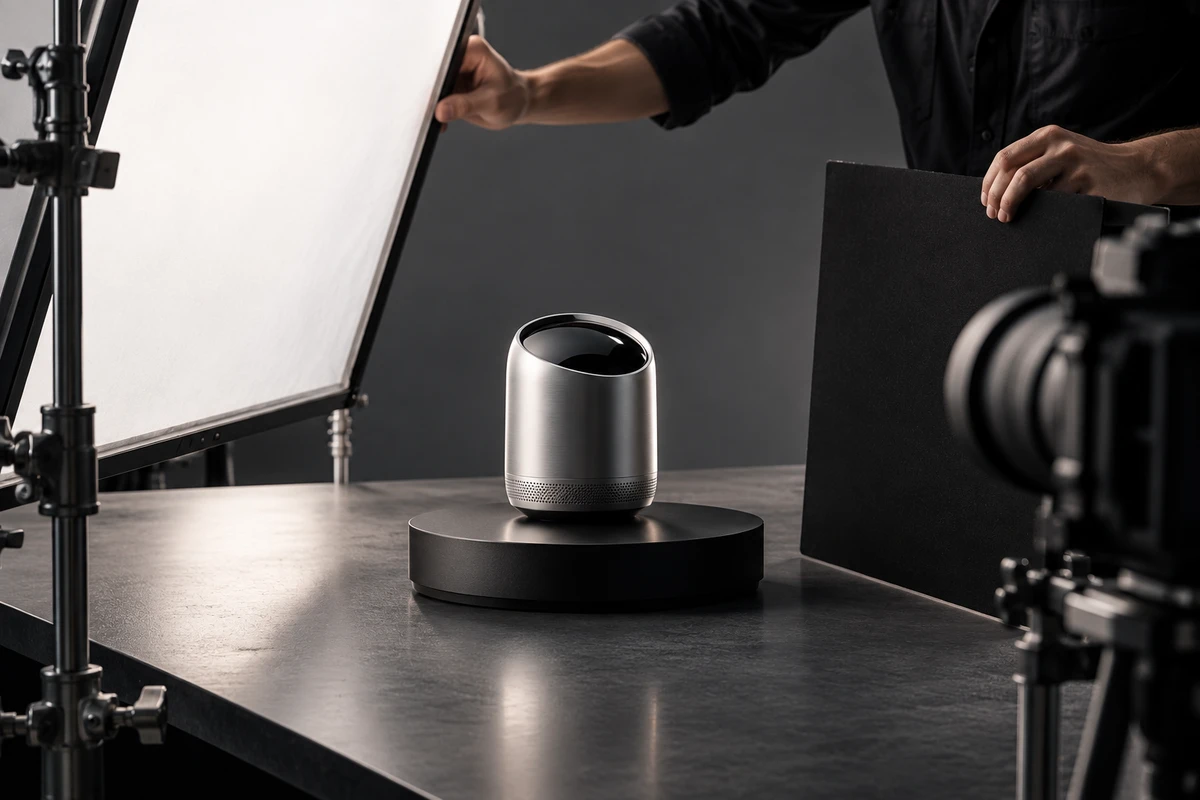
The most expensive rework in consumer-electronics video production rarely comes from missing one more beauty shot. It starts earlier, when the team has not agreed on what must be true, what must be understood, and where the finished assets will be used. A practical solution is to lock three working documents before the shoot: a product-truth sheet, a shot-evidence sheet, and a version-master sheet.
These are not paperwork for its own sake. Together, they give product, marketing, creative, cinematography, and post-production teams the same approval standard—before a polished film has to be rebuilt because an interface, indicator light, operating sequence, or channel version is wrong.
Sheet one: put product truth ahead of the shot list
The product-truth sheet should be approved jointly by the brand's product, marketing, and production stakeholders. It does not need to reproduce the entire product manual, but it should cover four areas:
- Sample status: whether the finish, colour, ports, buttons, accessories, and packaging match the final product;
- Feature status: whether firmware, UI, accounts, connectivity, and companion devices are stable enough to demonstrate;
- Do-not-misrepresent items: unreleased features, confidential structures, temporary UI, incorrect light states, or unapproved performance claims;
- Approval ownership: who signs off the industrial design, UI, specifications, captions, and last-minute changes.
One small continuity detail matters more than it appears: when the same prototype moves between a clean studio setup, a lifestyle set, and a hand-model demonstration, screen brightness, light mode, accessory position, and battery state must all be reproducible. If they drift, the edit will expose the mismatch, and colour grading cannot fully repair it.
If the project must serve ecommerce, a launch presentation, and social media at once, review ONCE's ecommerce product-video work first and define the real viewing contexts before deciding what must be captured in one production window.
Sheet two: give design, function, and context separate jobs
A shot-evidence sheet does not replace a storyboard. The storyboard explains how the image will be made; the evidence sheet first explains what that image must prove. For consumer electronics and smart hardware, the work usually falls into three groups.
Design and materials: choose the hero material, then design the reflection
Metal, glass, plastic, and illuminated surfaces cannot be solved with one generic lighting setup. Metal depends on controlled reflections to describe form. Glass needs readable edges, transmission, and a clean reflected environment. Matte plastic needs enough texture to avoid looking flat or artificially glossy.
Before principal photography, run a material test with the camera and product position locked. Change only the diffusion area, black and white flags, and edge light until the team finds a reflection pattern that can be repeated. ONCE's guide to matching commercial lighting plans to product materials provides a useful starting checklist.
Core features: preserve the full “start—action—response” chain
The most common feature-demo failure is a close-up of a finger pressing a button without a clear starting state or visible response. Every priority feature should have at least one uninterrupted master action, plus close shots of the hand, port, screen, and outcome. The master action establishes credibility; the close shots supply pace and information density.
Official guidance from Amazon Ads and TikTok Shop both place real product use and clear feature demonstration at the centre of product video. Production teams do not need to copy a platform template, but the principle is valuable: if a benefit cannot be seen in a real action, more narration and effects will not necessarily make it more credible.
Usage context: give the feature a task, not merely a backdrop
Headphones on a desk do not automatically create a work scenario. A robot vacuum crossing a living room does not by itself prove obstacle avoidance. A useful scene contains a human goal, a specific action, and a product response. A commuting scene might connect environmental noise, the wearing action, and call feedback; a portable power station scene should show the connected device, start-up sequence, and power state.
The more locations a script proposes, the more it needs one governing question: what task must the viewer remember? That question removes decorative setups and protects budget for actions, props, and sound that genuinely explain the product.
Sheet three: work backwards from the final deliverables
The version-master sheet belongs in pre-production, not after the hero edit is approved. For every version, define placement, aspect ratio, duration range, subtitle language, opening requirement, product visibility, silent-viewing needs, and whether it requires a dedicated cover or cutdown.
A horizontal launch film may have time to establish atmosphere. A vertical social cut often needs action earlier. An ecommerce video needs product and function to become legible quickly. These versions can share one visual world without sharing the same opening. On set, capture tighter shots, centred alternatives, clean backgrounds, and safe composition space for captions or interface elements.
The sheet should also define naming and archive rules. A useful filename can be traced to the SKU, scene, feature, language, and version. When overseas teams, agencies, or future editors receive the material, they should not have to guess which interface, colour, or feature state was final.
Assign live action, 3D, and generative AI by product truth
These production methods are not interchangeable; each carries a different responsibility:
- Live action is responsible for real appearance, actual interaction, tactile movement, and observable user feedback.
- 3D animation can explain internal structures, motion systems, and exploded views that a camera cannot enter, provided the model, materials, and labels come from approved references.
- Generative AI can support concept previs, mood exploration, or transitions that do not carry a product claim. If a generated shot changes ports, buttons, proportions, or feature behaviour, it should not stand in for the real product.
The test is straightforward: if a shot affects what a buyer believes the product can do, it must trace back to a prototype, drawing, or approved brand source. If it serves atmosphere and imagination, it must still avoid presenting synthetic content as real functionality.
How to decide that the film is finished—not merely attractive
A consumer-electronics video can be reviewed with three questions:
- With the sound off, can a viewer follow the trigger and response of the priority feature?
- When any product close-up is paused, do the finish, ports, indicators, and UI match the approved version?
- When the hero film is adapted, are there enough openings, close-ups, clean frames, and complete actions for each channel—without relying on repeated emergency crops?
This workflow is best suited to launches, ecommerce listings, product pages, and sales demonstrations where the film must be visually distinctive without becoming factually loose. If the product is still highly confidential or the prototype is unstable, begin with visual tests and concept previs, then enter full production once the truth sheet is approved.
If you are preparing a smart-hardware or consumer-electronics launch, share your product materials, target channels, and version list with ONCE VISUAL to request a production plan built around these three sheets.